
What to do if you do not like your passport photo
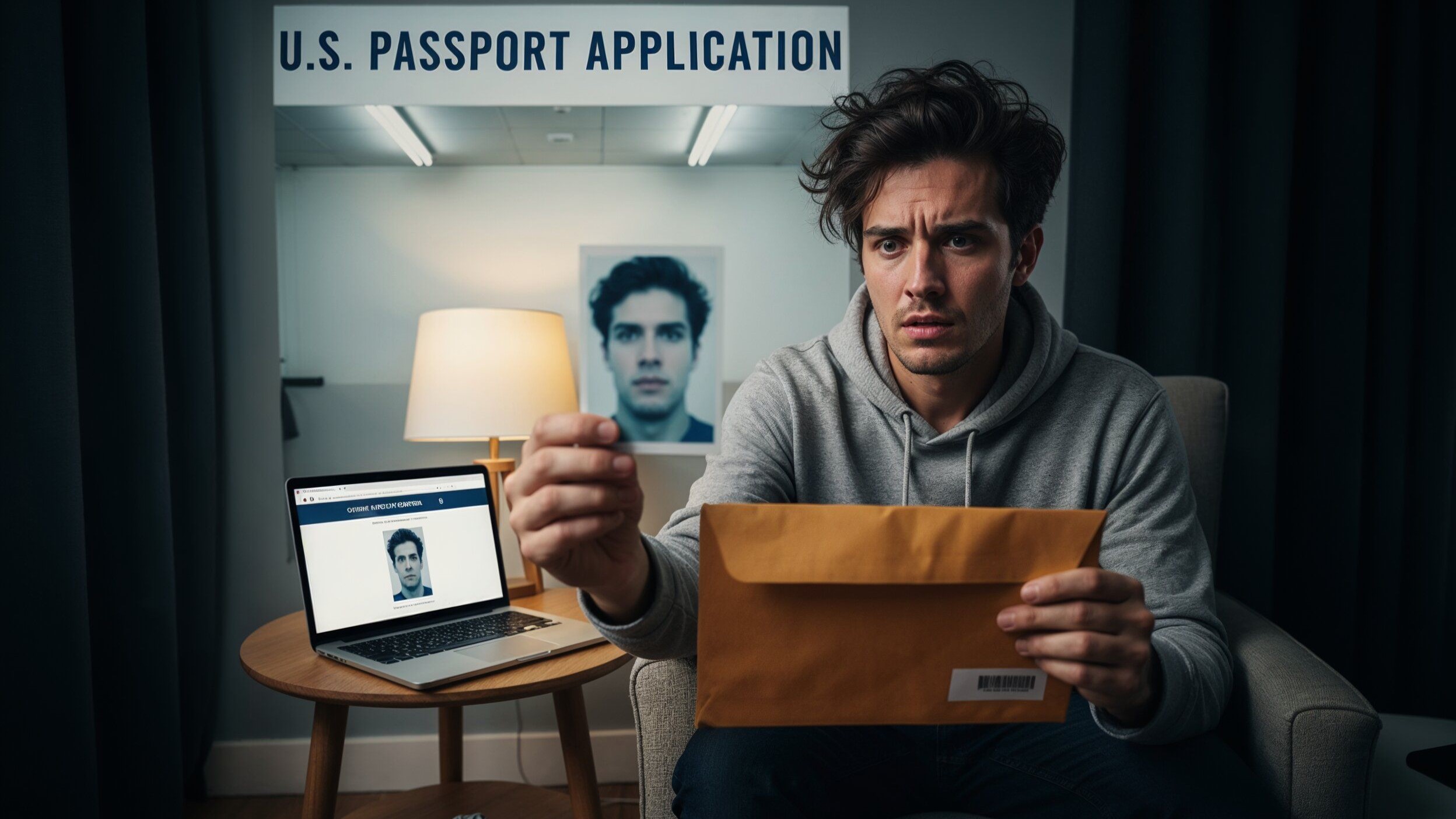
Let’s face it—getting a passport photo taken can feel like stepping into a tiny torture chamber of fluorescent lights, awkward poses, and that tiny chair that feels like it’s judging you. And sometimes, after all that effort, you open the envelope (or check online) and think, “Whoa… is that really me?” If you don’t like your passport photo, don’t panic. There are ways to address it without risking your travel plans. In this article, we’ll explore everything from understanding passport photo rules to tips for retakes, editing options, and how to handle your photo complaints like a pro.
Why Your Passport Photo Matters
Your passport photo is far more than just a snapshot—it’s your official identity when crossing borders. Every time you board a plane, pass through customs, or present identification in a foreign country, officials rely on this photo to confirm that you are who you claim to be. Unlike a casual social media picture, a passport photo must meet strict guidelines to ensure accuracy and consistency. This is why governments enforce rules regarding lighting, background, facial expression, and clarity. Any deviation from these standards can lead to delays, rejections, or even travel complications.
One of the most important aspects of a passport photo is that it must provide a clear, unobstructed view of your face. Sunglasses, hats, or even large hairstyles that cover facial features are typically prohibited because they make it difficult for authorities to recognize you. Similarly, the photo must show a neutral expression, usually with your mouth closed and eyes open, so that your facial features can be easily compared to your appearance in person. A neutral expression also ensures that the photo remains consistent over time, regardless of changes in mood or minor variations in facial appearance.
Another key requirement is proper lighting and minimal shadows. A poorly lit photo can distort features, create harsh shadows, or make your face appear unnaturally dark or light. Glare from glasses or reflective surfaces can obscure critical features, and uneven lighting can alter the perception of your facial structure. That’s why passport agencies often reject photos that fail to meet these technical standards. Ensuring that your face is evenly lit and clearly visible is essential not only for compliance but also for preventing travel disruptions.
Finally, your passport photo must accurately represent your natural appearance. This means avoiding excessive makeup, extreme hairstyles, or facial alterations that could change how you look. While it may be frustrating to see a photo that doesn’t flatter you, the priority is functionality, not aesthetics. Governments use these photos for security purposes, not for fashion contests, so even if you dislike the outcome, as long as your image meets official requirements, it will serve its intended purpose. The key takeaway is that a passport photo is a critical identification tool, and its value lies in accuracy, clarity, and compliance with official standards, rather than personal preference.
Common Reasons People Dislike Their Passport Photo
| Reason | Description | How It Affects the Photo | Common Mistakes | Tips to Avoid |
| Unflattering Lighting | Poor or harsh lighting can create shadows, highlight imperfections, or make skin tone appear uneven. | Can make you look tired, older, or distort facial features. | Using overhead fluorescent lights, standing too close to a window, or uneven light sources. | Choose a studio with controlled lighting or natural light; avoid strong shadows on your face. |
| Awkward Expressions | Forced smiles, frowns, or tense expressions are common in stressful photo sessions. | Makes the face look unnatural or unapproachable, and may appear stern or anxious. | Over-smiling, biting lips, or tensing jaw muscles. | Relax your face, practice a neutral expression, and think of something calming or funny. |
| Clothing or Background Issues | Background color and clothing choices can clash or distract from your face. | Can reduce photo clarity or make your face blend in with the background. | Wearing busy patterns, bright colors, or clothing similar in tone to the background. | Wear solid, neutral colors; ensure the background contrasts lightly but neutrally with your clothing. |
| Camera Angle | Slightly high, low, or off-center camera angles can distort your facial features. | Can make your face appear wider, longer, or uneven. | Leaning too far forward, tilting your head, or incorrect camera height. | Keep your head straight, shoulders relaxed, and follow studio instructions for posture. |
| Timing and Stress | Rushed sessions or personal stress can affect appearance. | Shows in tired eyes, messy hair, or a tense posture; results in an unflattering photo. | Arriving late, skipping grooming, or feeling anxious during the shoot. | Schedule ahead, arrive prepared, take deep breaths, and ensure hair and face are neat. |
Can You Request a New Passport Photo?
Requesting a new passport photo is possible, but it comes with rules and conditions. While it might be frustrating to see a photo you dislike, passport agencies prioritize compliance with official guidelines over personal preferences. Here’s a detailed breakdown of what you need to know:
- Understand the official photo requirements: Every country has specific rules for passport photos, including size, background color, facial expression, lighting, and head positioning. Familiarizing yourself with these requirements will help you determine whether your photo truly violates the standards or if it’s simply unflattering.
- Evaluate the acceptability of your current photo: Even if you dislike how you look, a photo that meets all official requirements is typically considered valid. Passport offices usually do not allow changes simply based on aesthetic preferences, so distinguishing between a technically correct photo and one that is just unflattering is crucial.
- Determine the reason for requesting a new photo: Most passport offices will only permit a retake if there is a legitimate reason, such as non-compliance with photo regulations, visible damage to the photo, or errors in printing. Simply disliking your appearance in the photo is generally not sufficient to justify a replacement.
- Check the process for requesting a retake: Some agencies allow you to submit a written request or contact the office by phone or email to explain your situation. Others may require you to visit in person to assess the issue. Knowing the exact procedure beforehand saves time and avoids frustration.
- Consider the timing of your request: If you are on a tight travel schedule, requesting a new photo may take additional days or weeks. Some agencies may require you to reapply for the passport entirely, while others allow the submission of an updated photo without a full application process. Planning ahead is essential.
- Visit a professional photographer if a retake is allowed: If the passport office grants permission for a new photo, using a professional photographer who is familiar with passport photo standards can significantly improve the outcome. They can ensure proper lighting, correct background, and a neutral expression while meeting all official guidelines.
- Review the new photo carefully before submission: Always check the new photo thoroughly for compliance. Ensure the head is correctly positioned, the background is even, lighting is appropriate, and facial expression is neutral. Multiple reviews reduce the risk of rejection.
- Understand the limitations: Remember that a passport photo is primarily an official identification tool. Even if you are unhappy with your appearance in the photo, the primary objective is accuracy, clarity, and compliance with official standards. Personal preference plays a very minor role in the approval process.
Step-by-Step Guide to Fixing a Passport Photo You Hate
Fixing a passport photo you dislike starts with understanding the rules. Before taking any action, it’s crucial to review the official guidelines issued by your country’s passport authority. These guidelines cover everything from photo size and background color to facial expression and lighting. Knowing these standards will help you determine whether your photo truly violates the rules or is simply unflattering. Sometimes what feels unacceptable to you may actually meet all legal requirements, so having a clear understanding of the standards can save you unnecessary hassle and stress.
Next, you need to decide if a retake is genuinely necessary. This step involves honest self-reflection: is your photo non-compliant, or does it just make you look awkward? Many people dislike their passport photos simply because they are unflattering, but if the photo meets all official criteria, the passport office may still issue it. Understanding this distinction prevents wasted time and potential frustration. Evaluating the photo critically will help you focus on situations where a retake is legitimately warranted rather than acting on personal dissatisfaction alone.
Once you’ve determined a retake is necessary, the next step is to contact your passport office. Reach out by phone or email, explain your situation clearly, and inquire whether submitting a replacement photo is allowed. Be polite and professional in your communication, as staff are more likely to respond positively when requests are reasonable and well-articulated. Depending on the office’s policy, they may allow a retake immediately, provide instructions for submitting a new photo, or schedule an appointment for review. Clear communication is essential to avoid delays or misunderstandings.
Finally, if a retake is permitted, visit a professional photographer who specializes in passport photos. Professionals understand lighting, background requirements, and the nuances of facial positioning, ensuring the new photo meets all official guidelines while presenting you in the best possible light. After the retake, carefully review the photo before submission to confirm it adheres to all rules. Check the background, lighting, head position, and facial expression, as even minor mistakes can result in rejection. Taking these steps ensures that your passport photo is both compliant and significantly more acceptable to your personal standards.
Tips for Taking a Passport Photo You Actually Like
| Tip | Description | Common Mistakes | Why It Matters | Practical Advice |
| Practice Your Neutral Expression | A neutral expression ensures your face is accurately represented while still appearing approachable. | Over-smiling, frowning, or forced expressions. | A neutral, relaxed face is required for official identification and avoids awkward or unflattering photos. | Stand in front of a mirror and practice holding a calm, relaxed expression. Focus on softening the jaw and opening your eyes naturally. |
| Choose the Right Clothing | Clothing choice affects the overall look and clarity of the photo. | Wearing busy patterns, logos, or extremely bright colors that distract from the face. | Neutral clothing helps your face stand out and ensures the photo meets official requirements. | Wear solid, neutral-colored tops. Avoid white if the background is light, and steer clear of distracting prints or patterns. |
| Mind Your Hair and Face | Hair and facial appearance impact clarity and compliance with guidelines. | Hair covering the face, shiny skin, excessive makeup, or unkempt appearance. | Facial features must be clearly visible for identification purposes, and neat appearance ensures compliance. | Keep hair tucked behind ears, tie back long hair, and use minimal makeup to reduce shine without altering appearance. |
| Relax Your Body | Tension can show in facial expression and posture. | Stiff shoulders, raised eyebrows, or tight jaw muscles. | Relaxed posture ensures the photo looks natural and avoids unnecessary stress lines. | Take deep breaths, roll your shoulders, and loosen your neck before the photo. Try thinking of something calming to reduce tension. |
| Use a Professional Photographer | Professionals know how to meet requirements while making you look your best. | Taking photos in poorly lit or uncontrolled environments, or relying on selfie-style photos. | Professionals ensure correct lighting, angle, and background while minimizing rejection risk. | Visit a studio experienced with passport photos. Communicate your concerns and ask for multiple shots to select the best one. |
Editing Passport Photos – What’s Allowed
Editing a passport photo can be tricky because the rules are strict, and even minor changes can result in rejection. Here’s a detailed guide on what you can and cannot do when it comes to adjusting your passport photo:
- Understand the purpose of edits: The goal of editing a passport photo is to enhance clarity and brightness while ensuring your facial features are accurately represented. Edits should never alter your natural appearance or distort your identity in any way. Always prioritize compliance with official guidelines over aesthetics.
- Slight color correction is permitted: Adjustments to brightness, contrast, or color balance are generally allowed. These edits help reduce shadows, improve overall visibility, and ensure your face is clearly distinguishable. For example, if the photo appears slightly dark or washed out, mild adjustments can make it compliant with passport requirements.
- Temporary blemish removal is acceptable: Minor blemishes, such as a small pimple or a temporary scratch, can be lightly corrected. This helps ensure your photo accurately reflects your typical appearance without making drastic changes to your facial structure. Avoid over-editing, as excessive smoothing can create an unnatural look that violates guidelines.
- Do not change facial features: Altering the shape or size of your eyes, nose, mouth, or jawline is strictly prohibited. Any modification that changes your natural facial structure can lead to passport rejection or legal complications. Your photo must be an accurate representation of your real appearance.
- Do not alter hair: Adding or removing hair, changing hairlines, or significantly adjusting hairstyles is not allowed. Hair should be visible as it normally appears, and any alterations can be interpreted as an attempt to misrepresent your identity.
- Do not use filters or heavy editing apps: Filters that adjust skin tone, smooth texture, or modify facial proportions are not permitted. Passport photos must be realistic and unenhanced in ways that could obscure your natural look.
- Check edits against official standards: Before submitting a digitally adjusted photo, compare it with official passport photo requirements. Ensure the background, lighting, and facial proportions remain accurate and unchanged. Even small deviations can result in rejection.
- Use professional software if necessary: If you need to make subtle adjustments, professional photo editing software is preferred over smartphone apps. These tools allow for precise color correction and minimal retouching while maintaining compliance with passport guidelines.
- Avoid overconfidence in digital fixes: Never assume that editing software can “fix” major issues. Drastic changes, such as reshaping your face or removing accessories like glasses, can invalidate the photo. It’s always safer to retake the photo than to risk edits that break the rules.
- Consult the passport office if unsure: If you are uncertain about whether a particular edit is allowed, contact the relevant passport agency for clarification. This step can save you time, money, and frustration by preventing photo rejection.